
Session Respect Score
"Build and manage your own business empire in this sandbox expansion where you can jump in for quick tasks or sink hours into optimization."
Minimum session
10 min
Pausability
Pause anytime
Resume friendliness
Easy to resume
FOMO pressure
Zero FOMO
Focus required
Moderate
Session structure
Open-ended
Similar games





More in the The Sims series


Platforms
Age Rating
About
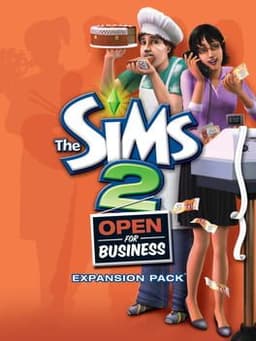
The Sims 2: Open for Business is the third expansion pack for The Sims 2, where you'll get to design your own clothing boutique, beauty salon, florist, high-end electronics shop, bustling restaurant chain, or virtually any other type of business. Hire your staff as the business grows and put talented Sims to work making toys, running the register, crafting floral bouquets, giving sales pitches, or manufacturing robots. But watch out for slacker employees and be prepared to fire them on the spot. Will you build a thriving business empire or become an eccentric entrepreneur designing the next big thing?
Sims can open their own shops and restaurants, and lead their business to great success (or dismal failure!) through careful management and competent customer service. As the boss of their new businesses, players' Sims are responsible for hiring and firing. Some employees are dedicated to their duties while others just…
Media
Community Tips
Be the first to leave a tip!
Sign in to add a tip
Community Session Data
No sessions logged yet —
Context Tags
No sound needed? One-handed? Good for commutes? Players vote.
Sign in to vote on tags
Platform Notes
Does it actually work well on your platform? Community tested.
The Sims 2: Open for Business — Session FAQ
- How long does a session of The Sims 2: Open for Business take?
- The minimum meaningful session for The Sims 2: Open for Business is approximately 10 minutes. This is the shortest play window where you can make real progress or have a satisfying experience, based on community data.
- Can you pause The Sims 2: Open for Business?
- Yes — The Sims 2: Open for Business supports instant pause. You can stop at any moment without penalty, making it ideal for sessions that might be interrupted.
- Does The Sims 2: Open for Business pressure you to keep playing?
- The Sims 2: Open for Business has no FOMO mechanics — no timed events, live content, or narrative cliffhangers. You can stop whenever you want without feeling like you're missing out.
- What is The Sims 2: Open for Business's Session Respect Score?
- The Sims 2: Open for Business has a Session Respect Score of 9.5/10. This score combines minimum session length, pausability, FOMO level, and pickup friendliness into a single metric for how well the game fits busy schedules.