
Session Respect Score
"Deep tactical starship combat requiring strategic thinking and planning."
Minimum session
20 min
Pausability
At save points
Resume friendliness
Some reorientation
FOMO pressure
Low FOMO
Focus required
Intense
Session structure
Missions & levels
Similar games






More in the Star Trek series











Platforms
Age Rating
About
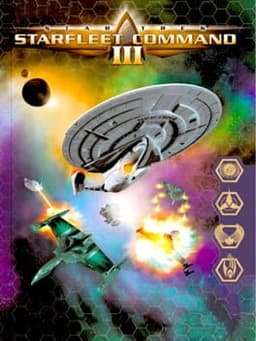
Starfleet Command III is a 3D tactical starship combat game, set in the universe of Star Trek: The Next Generation. The single-player campaign arcs are playable as Federation, Klingon, or Romulan factions. The game has customizable starship construction options (giving the player the opportunity to retrofit phasers, torpedoes, engines, and other components as he or she gains prestige points). The Dynaverse 3 feature offers persistent online gaming as up to 128 players compete to conquer the galaxy. The single-player storyline is broken into Klingon, Romulan, and Federation segments. The plotline involves a threat to galactic peace which emerges after the Klingon-Federation alliance constructs an advanced new starbase, designated 'Unity One', near the Romulan border. Each campaign invites the player to behave in a manner suited to the character of the chosen faction, as one proceeds through a consistent plot. In addition to the single-player campaigns, there is a single-player 'Conquest' campaign which allows the player (as Klingon, Romulan, Federation, or Borg) to attempt to dominate the galaxy without passing through campaign missions. Head-to-head multiplayer action without the grand strategic elements of Dynaverse 3 is available in multiplayer battle scenarios which can be played over Internet or LAN.
Media
Community Tips
Be the first to leave a tip!
Sign in to add a tip
Community Session Data
No sessions logged yet —
Context Tags
No sound needed? One-handed? Good for commutes? Players vote.
Sign in to vote on tags
Platform Notes
Does it actually work well on your platform? Community tested.
Star Trek: Starfleet Command III — Session FAQ
- How long does a session of Star Trek: Starfleet Command III take?
- The minimum meaningful session for Star Trek: Starfleet Command III is approximately 20 minutes. This is the shortest play window where you can make real progress or have a satisfying experience, based on community data.
- Can you pause Star Trek: Starfleet Command III?
- Star Trek: Starfleet Command III uses save points or manual saves. You'll need to reach a checkpoint before exiting to avoid losing progress — factor this into your session planning.
- Does Star Trek: Starfleet Command III pressure you to keep playing?
- Star Trek: Starfleet Command III has low FOMO. There may be some narrative momentum, but the game doesn't pressure you to keep playing. Natural stopping points are common.
- What is Star Trek: Starfleet Command III's Session Respect Score?
- Star Trek: Starfleet Command III has a Session Respect Score of 6.2/10. This score combines minimum session length, pausability, FOMO level, and pickup friendliness into a single metric for how well the game fits busy schedules.