

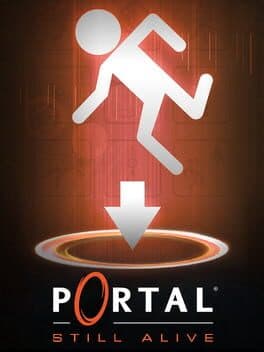
Session Respect Score
"Portal puzzle mod with 14+ bonus chambers offering bite-sized brain-teasers that fit into short gaming sessions."
Minimum session
5 min
Pausability
Pause anytime
Resume friendliness
Easy to resume
FOMO pressure
Zero FOMO
Focus required
Intense
Session structure
Missions & levels
Similar games





Platforms
About
On October 22nd, 2008 a port of Portal was released onto the Xbox Live Arcade under the title: "Portal: Still Alive". Outside of being a simple port of the game, it included 14 new bonus maps which were based on Portal: The Flash Version Mappack made by Hen Mazolski. After 9 years, you can now play these levels on PC! The maps have been revamped a small ammount, with generally improved and shaprer lighting across the chambers. As well as this, our mod includes a mockup of the cut ending of the bonus chambers, was the same as the ending of The Flash Version Mappack, except with GLaDOS removed and other minor changes. It also includes the "GLaDOS Voice Map", a level made in 2009 by Hen Mazolski as a proof-of-concept for a GLaDOS voice actor he had acquired late in the development of The Flash Version Mappack, but did not put to use in the mappack. Features List: The 14 “Still Alive” Chambers playable on PC with improved lighting. The Original Flash Version Mappack by Hen Mazolski. “GLaDOS Voice Map” by Hen Mazolski. Cut "Death Cube” texture used in Chambers 3, 4, 6, and 12. Mockup of the cut escape ending of the Still Alive bonus chambers. “Challenge” versions of the 14 chambers, with the original time, footstep, and portal amount values.
Media
Community Tips
Be the first to leave a tip!
Sign in to add a tip
Community Session Data
No sessions logged yet —
Context Tags
No sound needed? One-handed? Good for commutes? Players vote.
Sign in to vote on tags
Platform Notes
Does it actually work well on your platform? Community tested.
Portal: Still Alive For PC — Session FAQ
- How long does a session of Portal: Still Alive For PC take?
- The minimum meaningful session for Portal: Still Alive For PC is approximately 5 minutes. This is the shortest play window where you can make real progress or have a satisfying experience, based on community data.
- Can you pause Portal: Still Alive For PC?
- Yes — Portal: Still Alive For PC supports instant pause. You can stop at any moment without penalty, making it ideal for sessions that might be interrupted.
- Does Portal: Still Alive For PC pressure you to keep playing?
- Portal: Still Alive For PC has no FOMO mechanics — no timed events, live content, or narrative cliffhangers. You can stop whenever you want without feeling like you're missing out.
- What is Portal: Still Alive For PC's Session Respect Score?
- Portal: Still Alive For PC has a Session Respect Score of 9.5/10. This score combines minimum session length, pausability, FOMO level, and pickup friendliness into a single metric for how well the game fits busy schedules.