
Session Respect Score
"A creative keyboard-based platformer with puzzle elements that you can tackle in short bursts between other tasks."
Minimum session
5 min
Pausability
Pause anytime
Resume friendliness
Easy to resume
FOMO pressure
Zero FOMO
Focus required
Moderate
Session structure
Story chapters
Where to play

Similar games






Platforms
About
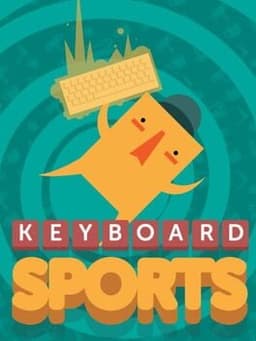
You play as the young apprentice to Master QWERTY who takes you on a wild adventure across oceans, through temples and into dreams in the search for your inner key using the entire keyboard as your controller.
Media
Community Tips
Be the first to leave a tip!
Sign in to add a tip
Community Session Data
No sessions logged yet —
Context Tags
No sound needed? One-handed? Good for commutes? Players vote.
Sign in to vote on tags
Platform Notes
Does it actually work well on your platform? Community tested.
Keyboard Sports: Saving Qwerty — Session FAQ
- How long does a session of Keyboard Sports: Saving Qwerty take?
- The minimum meaningful session for Keyboard Sports: Saving Qwerty is approximately 5 minutes. This is the shortest play window where you can make real progress or have a satisfying experience, based on community data.
- Can you pause Keyboard Sports: Saving Qwerty?
- Yes — Keyboard Sports: Saving Qwerty supports instant pause. You can stop at any moment without penalty, making it ideal for sessions that might be interrupted.
- Does Keyboard Sports: Saving Qwerty pressure you to keep playing?
- Keyboard Sports: Saving Qwerty has no FOMO mechanics — no timed events, live content, or narrative cliffhangers. You can stop whenever you want without feeling like you're missing out.
- What is Keyboard Sports: Saving Qwerty's Session Respect Score?
- Keyboard Sports: Saving Qwerty has a Session Respect Score of 9.5/10. This score combines minimum session length, pausability, FOMO level, and pickup friendliness into a single metric for how well the game fits busy schedules.