
Session Respect Score
"Realistic equestrian sim with tournaments across three riding disciplines."
Minimum session
15 min
Pausability
At save points
Resume friendliness
Some reorientation
FOMO pressure
Zero FOMO
Focus required
Moderate
Session structure
Missions & levels
Similar games






Platforms
Age Rating

About
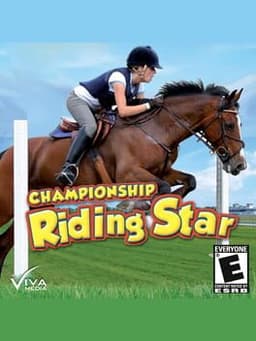
Championship Riding Star (known as "Riding Star 2" in Europe) is the sequel of Riding Star, a riding simulation released by dtp Entertainment AG for Windows 95/98 and ME. Just like the original game did in 1999, the sequel puts the emphasis on a realistic portrayal of riding challenges and features the three riding classes military, dressage and horse jumping. The player can create a rider avatar and own several horses. These may be equipped with different types of accessories such as saddles, blankets and decorations. While in the stable, the player can look at each of his horses from nearby and take individual care of them: the quadrupeds can be fed, their fur can be groomed and their hooves can be cleaned. By completing tournaments in the three classes and five difficulty settings, the player can win prizes, unlock further content and improve the statistics of his horses. Each horse gains additional experience points through training and participation in tournaments. The game features a number of indoor and outdoor levels of varying difficulty, including a virtual representation of the world championship stadium in the German town of Aachen, home to the World Equestrian Games 2006. The controls are somewhat different from most games featuring horses: The reins of the horse are simulated with the mouse and the keyboard is used to control the speed.
Media
Community Tips
Be the first to leave a tip!
Sign in to add a tip
Community Session Data
No sessions logged yet —
Context Tags
No sound needed? One-handed? Good for commutes? Players vote.
Sign in to vote on tags
Platform Notes
Does it actually work well on your platform? Community tested.
Championship Riding Star — Session FAQ
- How long does a session of Championship Riding Star take?
- The minimum meaningful session for Championship Riding Star is approximately 15 minutes. This is the shortest play window where you can make real progress or have a satisfying experience, based on community data.
- Can you pause Championship Riding Star?
- Championship Riding Star uses save points or manual saves. You'll need to reach a checkpoint before exiting to avoid losing progress — factor this into your session planning.
- Does Championship Riding Star pressure you to keep playing?
- Championship Riding Star has no FOMO mechanics — no timed events, live content, or narrative cliffhangers. You can stop whenever you want without feeling like you're missing out.
- What is Championship Riding Star's Session Respect Score?
- Championship Riding Star has a Session Respect Score of 7.8/10. This score combines minimum session length, pausability, FOMO level, and pickup friendliness into a single metric for how well the game fits busy schedules.