
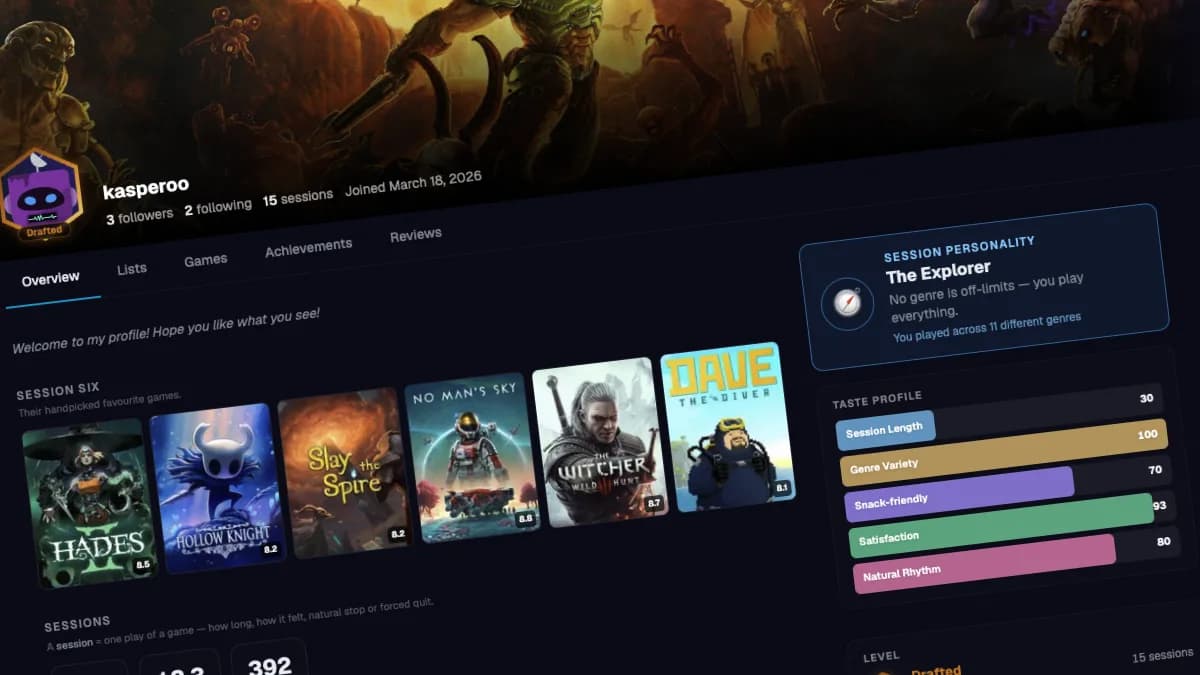
Your profile page just got a serious upgrade
When we first launched public profiles, they were exactly what you'd expect from a very basic version: an avatar, a username, a list of sessions logged, some badges, and a wall of text events. Functional. Honest. Completely forgettable.
Nobody shares a link to a page that looks like a settings screen.
So we rebuilt it. From the hero image down to the activity cards.
A profile that looks like yours
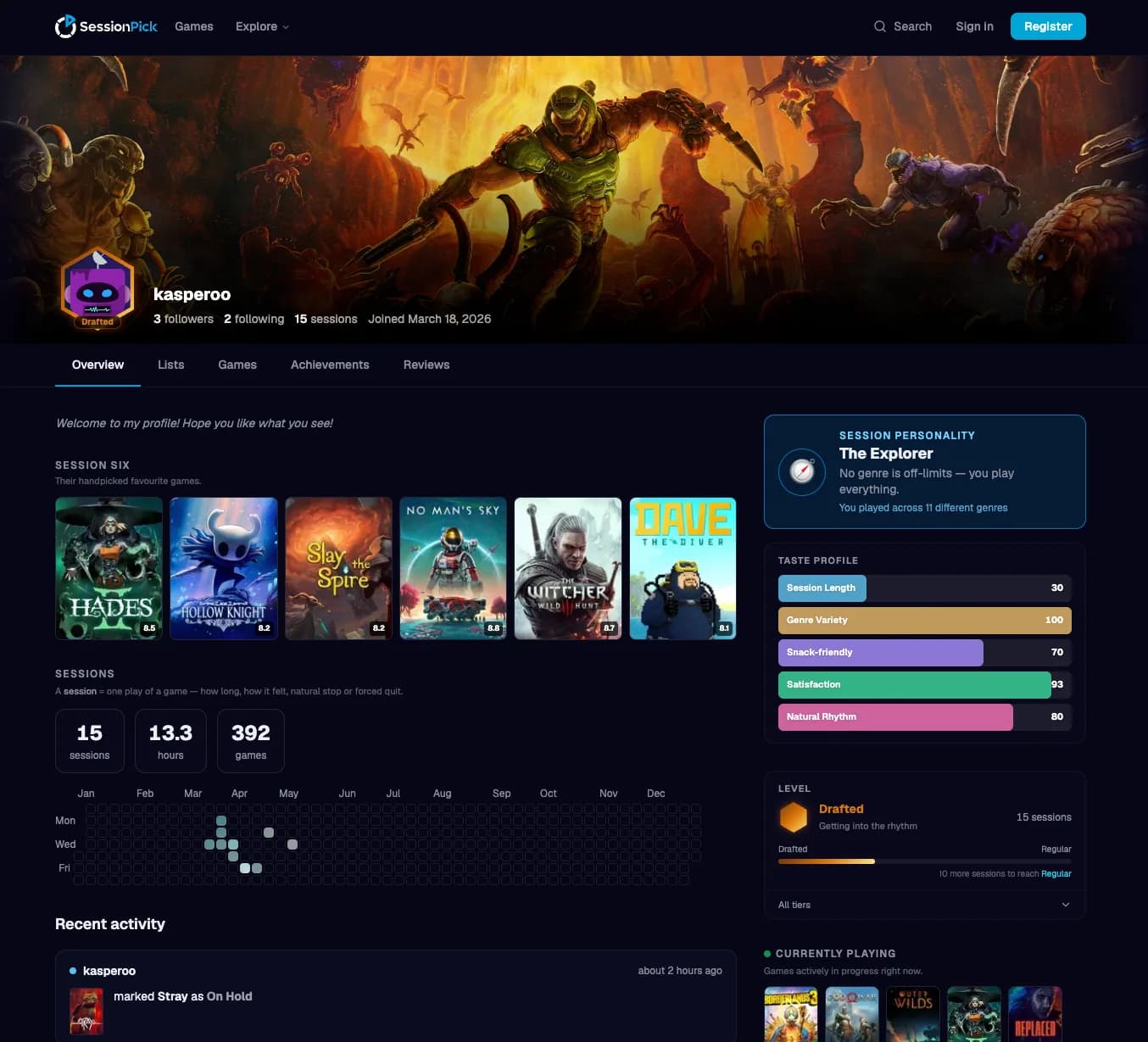
The biggest change is the one you see first: a full-bleed hero banner that stretches edge to edge, with your avatar and username embedded directly in it - overlapping the image, not floating awkwardly below it.
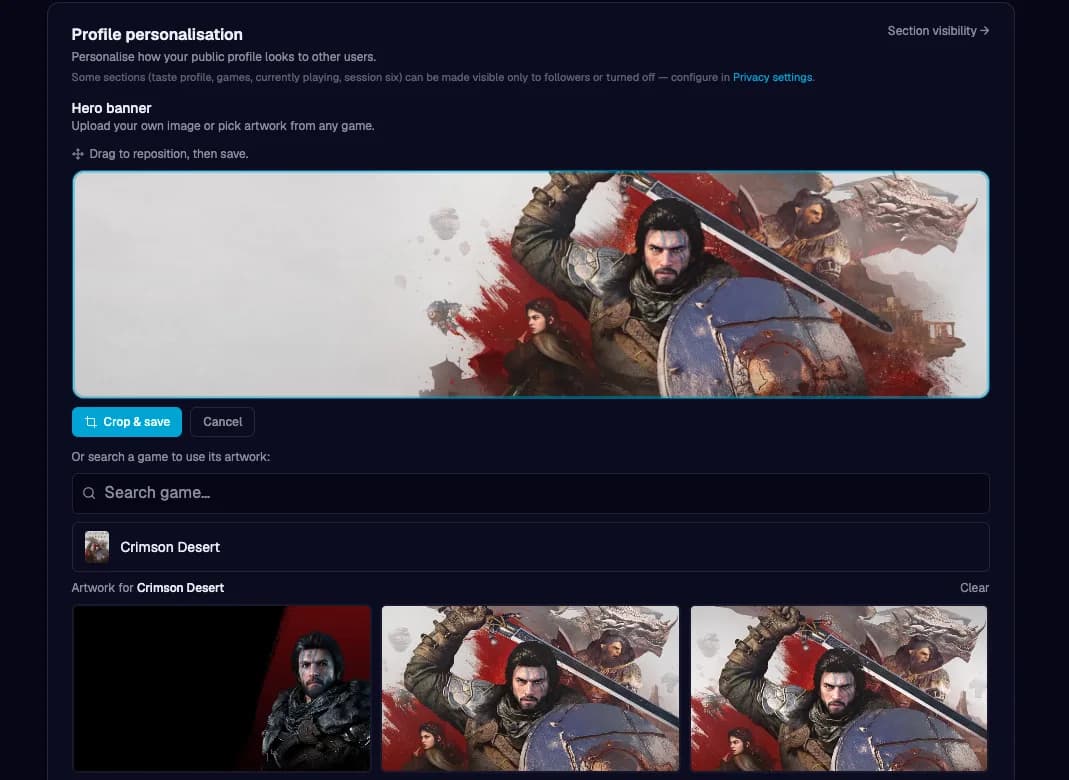
If you don't set a banner, your chosen accent colour fills the space with a gradient. If you do, you can upload your own photo or pull game artwork straight from SessionPick's library and drag to crop it to exactly the frame you want.
You have a level now
Every SessionPick profile has a tier frame around the avatar. Six tiers, earned by logging sessions:
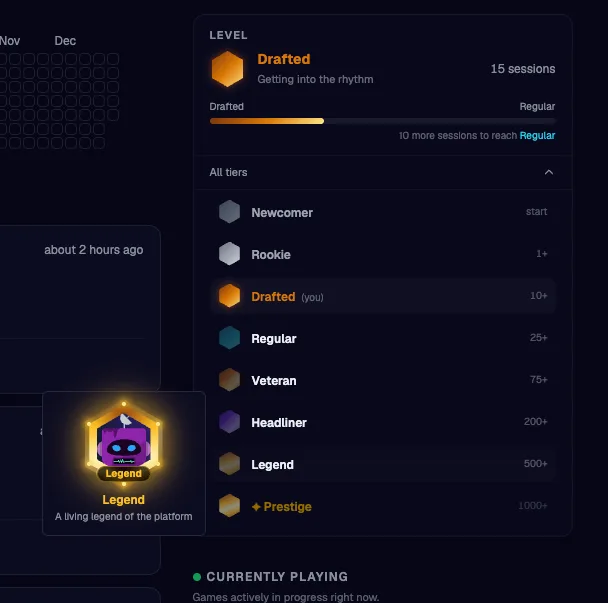
The frame itself changes - cooler steel at the low end, gold filigree at the top. Hit 1,000 sessions and a prestige overlay appears. The tier label sits in a pill at the bottom of the frame so there's never any ambiguity about where you stand.
This isn't a points system you can game by doing arbitrary things. It's a direct measure of the one thing SessionPick cares about: actually playing games and logging them.
Know yourself as a gamer
Below the hero banner, the Overview tab now has a proper right-hand sidebar. At the top: your Session Personality and your Taste Profile.
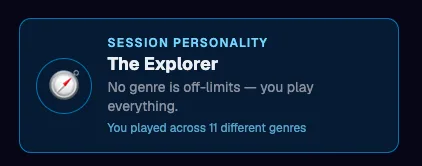
The personality label - Snacker, Marathoner, Explorer, Night Owl, Zen Gamer, Curator, Completionist - is computed from your actual session history. Not a quiz. If 70%+ of your sessions are under 30 minutes, you're The Snacker. If you play across 11 different genres, you're The Explorer. The label updates as your habits evolve.
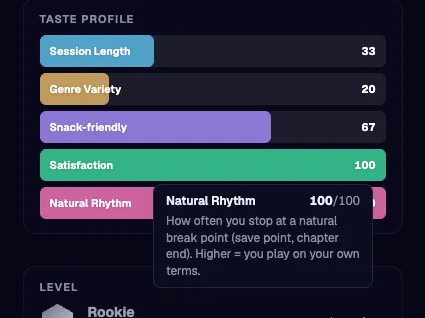
Below that, five horizontal bars show your Taste Profile:
Session Length — how long your average session runs
Genre Variety — how wide you play across genres
Snack-friendly — how often you play in bursts under 30 min
Satisfaction — how often sessions end feeling good (from your own check-ins)
Natural Rhythm — how often you stop at a natural break point
Each bar is a different colour, spans the full width, and shows the score on hover with an explanation of what it means.
Session Six
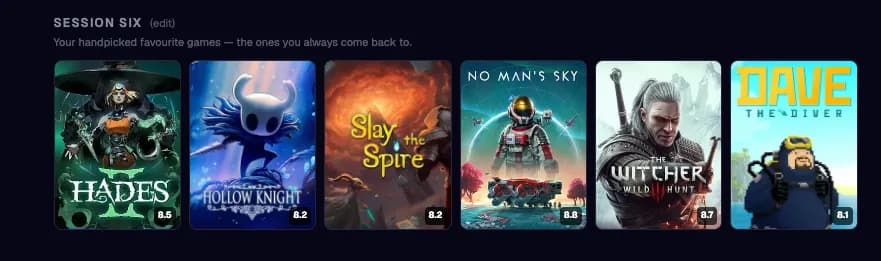
You can pin six games as your Session Six — a cover grid of the games you always come back to. It's the same instinct as a Letterboxd Top 4: a small, curated statement about who you are as a player.
Pick them from your library in account settings, drag to reorder. If you haven't picked yet, the space is empty and a quiet nudge links you to set it up.
Five tabs, not one wall
The profile is now tabbed: Overview, Lists, Games, Achievements, Reviews.
The tab nav sticks to the top as you scroll past the banner. Privacy settings apply per-tab - a user whose library is set to Followers-only will show a private notice to strangers on the Games tab rather than erroring.
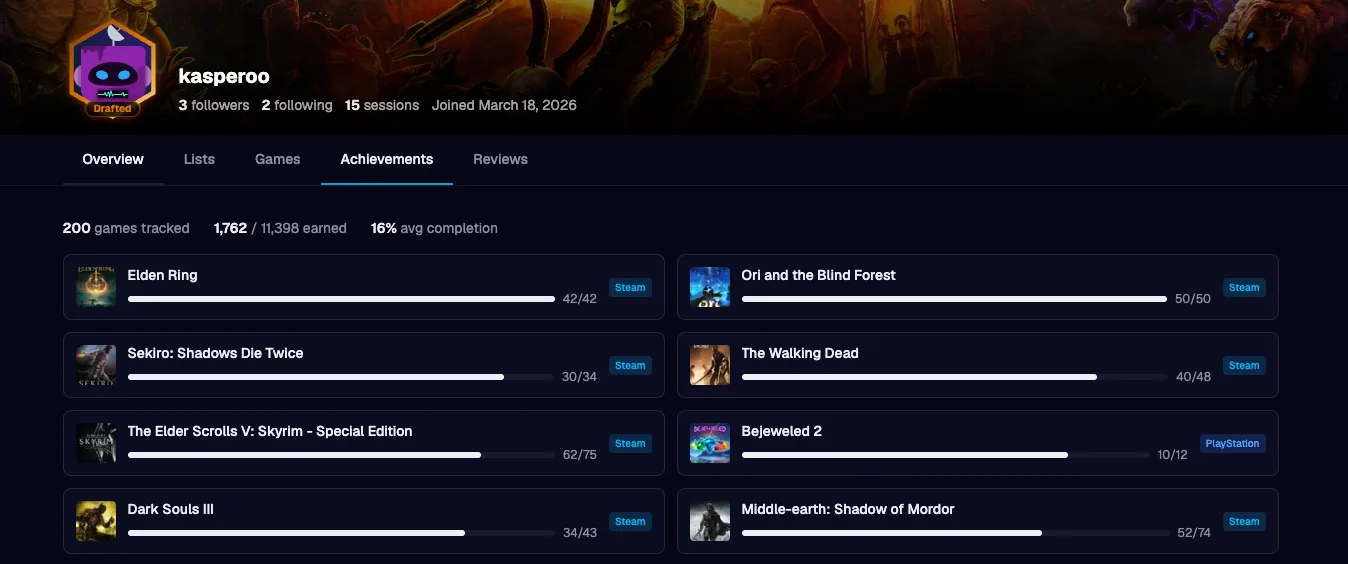
The Games tab is a dense cover grid of everything in their library, newest first, with a status chip at the bottom of each cover. The Achievements tab pulls from Steam and PlayStation in one unified view.
An activity feed worth reading
The old feed was a bulleted log: "[username] marked The Witcher 3 as on hold". Sixteen of them in a row. Nobody read it.
The new feed is card-based, with game cover art on every event that involves a game. Status changes look much better now. Badge unlocks show the badge image & session logs show the cover and the duration.
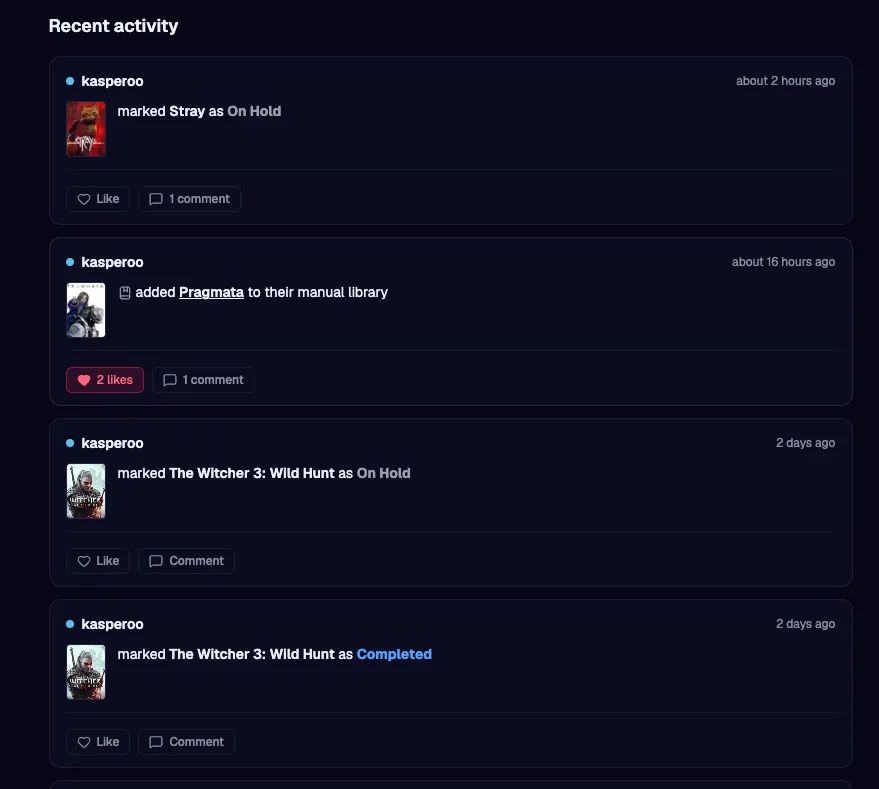
You can like any activity event. You can leave a comment. Both update in real-time. If you're the person whose profile it is, comments on your events trigger a notification. If a comment is inappropriate, other users can flag it — it enters the admin moderation queue the same way blog comments do.
What didn't change
The heatmap, journal, badge showcase, achievement summary, and follow/following flows are all still there - now cleaner because they each have a dedicated tab or section rather than fighting for position on a single long page.
If you follow someone, their activity still shows up in your global feed at /feed. The profile is the place you go to understand who someone is; the feed is the place you go to stay current with what they're doing.
Try it now
Head to your profile at sessionpick.com/u/[your-username] and hit Edit profile to set your banner, bio, and Session Six. The level frame updates automatically as you log more sessions - no action required.
If you haven't connected your Steam, PlayStation, GOG, or Xbox library yet, account settings is the place to do that too. The more sessions you log, the more interesting your Taste Profile gets.
One last thing - SessionPick is a solo side project. I build this in the evenings and weekends, between a full-time job and the rest of life. Every feature you see here was designed, built, tested, and shipped by one person. I genuinely don't know if anyone will love this or if it'll quietly disappear into the internet - but I made something I'd actually want to use, and I hope you do too. If something feels broken, confusing, or just wrong, tell me. The public roadmap is real, the feedback queue is real, and I read everything. Thanks for being here
More from Development

Find a game's soundtrack and art books without leaving the page
Browse any game on SessionPick and find its official soundtrack and art books alongside session scores, tips, and your personal game library.

Developer update April 2026
SessionPick is live - and shipping fast. This update covers two-factor auth, grid/compact/list library views with bulk edit, a session journal with heatmaps, yearly gaming recap, user reviews, random library pick, and more. Built for gamers who care how a title fits a real evening, not just how long the game is.